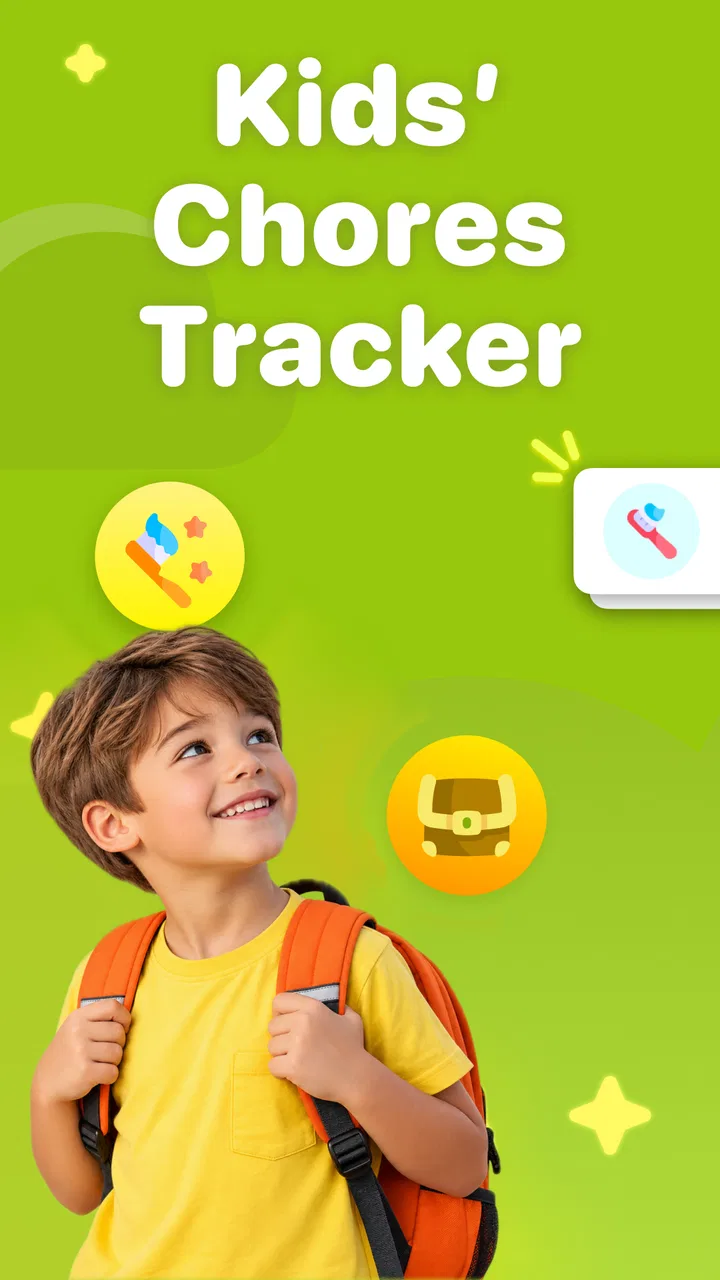
Kids Chores Tracker To Do List
- 4.4
- Rating
- 100.00K
- Installs
- Free
- Price

 Analysis by App-foxy
I found Kids Chores Tracker To Do List most useful when I treated it as a shared family routine rather than a digital punishment chart. The app turns everyday jobs into something children can see, complete, and connect with an allowance or reward. That sounds simple, but the practical value is in making expectations visible before anyone has to repeat them for the third time. My overall view is positive: it is a focused parenting app for families that want more structure, although it works best when an adult actively sets it up and keeps the reward system sensible.
The app is listed as Neat Kid: Track Chores and Allowance, Build Habits, Kids' Motivation & Rewards, while its simpler store description calls it Kids Chores Tracker. It comes from NEATKID KIDS CHORE TRACKER AND REWARD CHART and sits in the parenting category. I would describe it as a chore organizer with motivation tools, not as a complete family-management platform. That distinction matters because its appeal comes from staying close to one job: helping children understand what needs doing and helping parents follow through consistently.
How the chore system feels in everyday family life
My preferred way to use an app like this is to begin with a small number of repeatable responsibilities. Instead of adding every possible household task, I would start with things such as putting toys away, preparing a school bag, feeding a pet, or placing clothes in the laundry basket. The point is not to build an impressive list. The point is to create a routine a child can recognize without needing a fresh explanation every day.
You May Also Like

 Blood Strike: 2.5 Anniversary
Blood Strike’s Loadouts Turn Every Drop Into a Tactical Gamble
A close look at Blood Strike’s custom loadouts: how fast access to signature weapons reshapes its battle royale rhythm, rewards preparation, and narrows the gap between fights.

 Pandora - Music & Podcasts
Pandora’s Music Is Easy to Start, but Harder to Recover
Pandora’s strength is its low-effort path from a seed to a station. Its weak spot is how much confidence it asks you to place in connection, setup, and quiet recovery.

 8 Ball Pool
 Is Built on Rivalries, Rematches, and Routine
A close look at the rivalries, rematches, shared routines, and unanswered safety questions that turn a quick pool match into a persistent mobile community.

 Samsung Music
’s Quiet Strength Is Playing What You Already Own
Its reach comes less from spectacle than from dependable access to a personal library. That simplicity is both the app’s strongest retention engine and its ceiling.

 AccuWeather: Weather Radar
AccuWeather Review: A Quick, Clear Forecast for Everyday Decisions
For everyday plans, the best forecast is the one you can understand quickly. AccuWeather makes rain timing, radar, and local conditions easy to act on, with a few trade-offs.

 Hill Climb Racing
Why Hill Climb Racing Still Turns Crashes Into One More Run
A tiny car, a bumpy hill and one more upgrade: Hill Climb Racing keeps resurfacing because its simple chaos makes every near-miss feel personal.
More From Our News Desk



Kids Chores Tracker To Do List is particularly well suited to that approach because the basic idea is easy to explain to a child: look at the assigned task, do it, and mark it complete. Parents can then connect progress with allowance or another agreed reward. That creates a useful separation between the chore itself and the adult's memory. A child does not have to ask, “What was I supposed to do today?” and a parent does not have to reconstruct the entire week from memory.
A realistic example would be a weekday morning in which a child regularly forgets two small steps before school. I would add those steps as separate chores rather than one vague item called “get ready.” A separate entry for packing the bag and another for putting breakfast dishes away makes the expectation concrete. If the child completes one but not the other, the app can support a more accurate conversation than a general accusation that the morning routine was ignored.
That level of clarity is one of the app's strongest qualities. A chore chart on paper can do something similar, but it is easy to lose, forget to update, or leave in a place where nobody checks it. A phone-based tracker is more convenient for a parent who already carries a device throughout the day. It also makes the routine feel current instead of like a poster that was created enthusiastically and abandoned after a week.
The reward angle needs more thought than simply assigning money to every task. I would use the app to agree on the meaning of completion before the week begins. For younger children, a completed routine might contribute toward a small privilege. For older children, an allowance arrangement may be more appropriate. The important point is that the reward should not change unpredictably after the chore is finished. If the rules move constantly, the tracker becomes a source of arguments rather than motivation.
One practical tip is to separate essential responsibilities from optional extras. A child may be expected to brush teeth, put away personal belongings, and prepare school items without receiving a payment for each action. A larger optional task, such as helping organize a shared room, could be treated differently. This keeps the app from teaching the unintended lesson that every basic act of cooperation requires a cash incentive.
I also think the app can help parents notice whether a routine is badly designed. If a child repeatedly misses the same task, the problem may not be laziness. The instruction could be too broad, the timing could be inconvenient, or the child may not know what “done” looks like. Breaking a large task into smaller entries gives the parent evidence about where the friction occurs. That is a more useful outcome than merely seeing a disappointing completion mark.
The motivation features are most convincing when they support a conversation, not when they replace one. A child may enjoy seeing progress, but the app cannot decide whether a task was completed carefully, whether help was needed, or whether a family exception should apply. I would still check in, especially during the first week. The tracker should reduce nagging, not remove parental judgment.
Another non-obvious advantage is that it can make invisible household work visible. Children often notice the reward but not the repeated effort behind a functioning home. A well-chosen chore list can show that routines are shared responsibilities. I would include age-appropriate tasks that contribute to family life, rather than filling the list with only personal cleanup. That makes the system feel less like a personal scorecard and more like a practical family agreement.
At the same time, I would avoid turning the app into a constant performance monitor. Not every useful behavior needs to be recorded. Reading, kindness, patience, and helping spontaneously can lose their meaning if every action is converted into a point or payment. The application is strongest when it handles predictable chores while adults continue to recognize positive behavior outside the list.
The app is free to install, which makes it relatively easy for a family to try without committing immediately. Optional purchases are listed from $3.99 to $69.99 per item, so I would look carefully at what is included before moving beyond the free experience. The wide range suggests that families should decide in advance whether an upgrade genuinely solves a problem they have or merely adds another layer to a system that is already working.
Its current version is 2.25.1, and it runs on Android 7.0 or later. That gives it a broad reach for households using an older Android phone or tablet. The app is rated Everyone, which fits the family-friendly purpose. Still, an age rating does not tell a parent whether the reward approach suits a particular child; that decision depends much more on temperament, maturity, and the family's attitude toward allowances.
Where it is stronger than a paper chart
The obvious alternative is a handwritten chart on the refrigerator. Paper remains excellent for children who do not regularly use a phone, and it can be more visible during the morning rush. However, the digital approach is easier to adjust when schedules change. A temporary task can be added, a responsibility can be reworded, and a routine can be simplified without crossing out half the chart.
Compared with a general to-do list, this app has a clearer parenting purpose. A standard checklist may record tasks, but it does not naturally frame them around children's motivation, allowances, and habit-building. That focus is helpful for a family that wants chores to become repeatable responsibilities rather than a collection of reminders aimed only at adults.
On the other hand, a general family calendar may be better for households whose main problem is coordinating appointments, meals, school events, and chores in one place. Kids Chores Tracker To Do List is narrower. I see that as a strength for a family seeking a dedicated chore routine, but a limitation for anyone hoping to replace a broader planning system.
There is also a trade-off against simply giving verbal reminders. Speaking directly is faster when a task is unusual or urgent. The app becomes more valuable for recurring work, where repeated verbal prompts create frustration. I would not enter every one-off request into it. Doing so would create maintenance work for the parent and make the child's list noisy.
The friction parents should expect
The biggest weakness is not a missing flourish; it is the need for consistent adult setup. A tracker cannot organize a family by itself. Someone has to choose realistic chores, decide when they count as complete, explain the reward arrangement, and review whether the routine is still fair. If the parent stops checking the system, the app can become another forgotten household tool.
There is a second challenge in using rewards with more than one child. Equal treatment does not always mean identical chores. Responsibilities should reflect age, ability, and time available, but children may compare their lists anyway. I would explain the reason for differences and avoid using the app as a public leaderboard. The goal is cooperation, not competition between siblings.
Another limitation is that digital convenience can become digital distraction. If a child needs a phone to mark a chore complete, the device may invite games or messages at exactly the wrong moment. For younger children, I would have an adult supervise the check-in or use the app together. In a no-screen household, a visible paper chart may still be the more natural choice.
The allowance system also requires careful boundaries. A child who expects payment for every routine may begin negotiating basic responsibilities. I would reserve financial rewards for tasks where that arrangement makes sense and use non-monetary rewards for others. The app can help track an agreement, but it cannot create a healthy agreement for the family.
Families with complex shared custody arrangements, multiple caregivers, or highly irregular schedules may find a dedicated chore tracker less convenient than a broader shared calendar. The app's focused design is ideal when responsibilities repeat in a reasonably stable pattern. It is less suitable when the primary challenge is managing many adults, locations, and changing commitments at once.
I would also recommend a weekly reset conversation rather than silently changing tasks. Ask the child which chore was easy, which felt unclear, and which reward still feels meaningful. This turns the tracker into a coaching tool. It may reveal that a task should be moved to a different time, divided into two steps, or removed because it no longer matches the child's abilities.
Who will get the most from it
I think this app is a strong fit for parents of children who understand simple instructions but need regular reminders to follow through. It is especially useful when the same arguments happen every day: the child claims not to know what was expected, while the parent feels they have already asked several times. A visible, repeatable list gives both sides a shared reference point.
It can also suit families introducing allowances for the first time. The app provides a place to connect work with a reward, but I would begin with a short trial period and a small set of tasks. That allows everyone to discover whether the child is motivated by money, privileges, visible progress, or simply the satisfaction of finishing a routine.
Parents should skip it if they want a completely automatic solution. There is no substitute for explaining chores, checking quality, and handling exceptions. I would also look elsewhere if the household wants one app for calendars, shopping, meal planning, school coordination, and detailed family communication. This tool is more focused than that.
Its audience is also narrower than the broad Everyone rating might suggest. The app is family-friendly, but its real usefulness depends on a child being ready to understand a task list and participate in a reward conversation. A very young child may benefit more from a simple visual chart used with an adult, while an older teenager may prefer a more flexible personal planning system.
The app has attracted a 4.7 average from around 1.2 thousand ratings and has passed 50 thousand installs. Those figures indicate that it has found a meaningful audience, though I would treat popularity as a starting point rather than proof that its method will fit every household. The most important test is whether your family can maintain a small, fair routine without turning completion into a daily negotiation.
My verdict after looking at the whole experience
I recommend Kids Chores Tracker To Do List for families whose main need is a clear, repeatable way to organize children's chores and connect them with sensible motivation. Its best contribution is not complexity. It is the simple shift from repeated verbal reminders to an agreed routine that everyone can see. Used carefully, it can reduce confusion, encourage independence, and make allowance discussions more concrete.
I would start conservatively: add only the chores that genuinely repeat, define what completion means, and review the arrangement after a week. Keep essential responsibilities separate from optional paid work, avoid comparing siblings, and do not let the phone become the center of family life. Those choices matter more than filling the app with a long list.
The free entry point makes experimenting straightforward, while the optional purchases mean parents should consider the value of any extra spending rather than assuming it is necessary. For a family that wants a dedicated chore tracker, the focused design is its clearest advantage. For a household seeking a complete organizer or a screen-free routine, a paper chart or broader family-planning app may be better.
My final judgment is that this is a practical parenting app with a clear purpose and a few important boundaries. It works best as a shared agreement, not as an automated referee. If you are ready to set realistic expectations and follow up with your child, it can turn recurring household friction into a manageable routine. If you want the app to do the parenting work for you, it will probably disappoint.
FAQs for Kids Chores Tracker To Do List
01What is the Kids Chores Tracker To Do List app?
The Kids Chores Tracker To Do List app is a tool designed to help parents manage and assign chores to their children in an engaging and organized way. It allows parents to create to-do lists, set reminders, and track progress, making household management easier and more fun for kids.
02How does the reward system work in the app?
The app features a customizable reward system where parents can assign points or rewards for completed chores. Kids can earn points which can be exchanged for rewards predefined by parents, such as extra screen time or a special treat, motivating kids to complete their tasks efficiently.
03Is the app suitable for all age groups of children?
Yes, the app is designed to cater to a wide range of age groups. It offers flexible customization options, allowing parents to set age-appropriate chores and rewards. The interface is intuitive enough for younger children while still being engaging for older kids.
04Can multiple family members use the app simultaneously?
Absolutely, the app supports multiple users, allowing different family members to have their profiles. Parents can set up separate accounts for each child, assign specific chores, and monitor progress individually, making it a comprehensive tool for family management.
05Is there a cost associated with downloading and using the app?
The Kids Chores Tracker To Do List app may offer a free version with basic features, but there could be in-app purchases or a premium version with additional features such as advanced reporting, extra customization options, and ad-free experience. It's advisable to check the app store for detailed pricing information.
Pros
- User-friendly interface for all ages.
- Customizable chore lists for each child.
- Reward system encourages task completion.
- Syncs across multiple devices seamlessly.
- Helpful notifications keep tasks on track.
Cons
- Limited free version features.
- No offline mode available.
- Occasional syncing delays reported.
- Lacks integration with smart home devices.
- No support for multiple languages.

Kids Chores Tracker To Do List
Gallery